TournamentsCurrent first-party product capture · synthetic fixture data
CCChoose the tournament from the feature-gated iPad organizer shell. This is not the focused Table mode documented for table officials.
01
Understand the product boundary
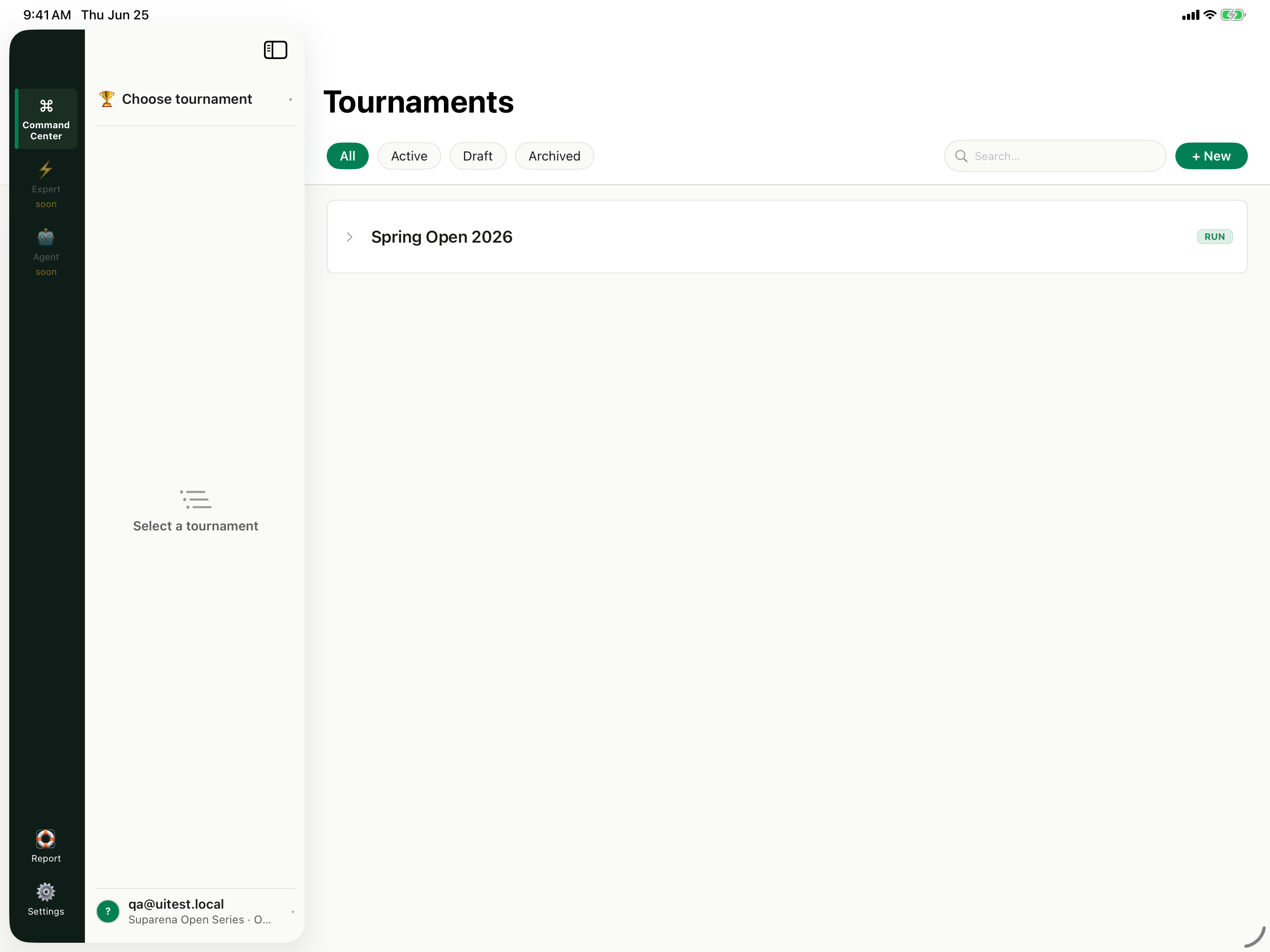
Choose the tournament
The captured organizer shell lists Active, Draft, and Archived tournaments. This full iPad organizer surface is feature-gated and is separate from Table mode.
The captured organizer shell lists Active, Draft, and Archived tournaments. This full iPad organizer surface is feature-gated and is separate from Table mode.
TournamentsCurrent first-party product capture · synthetic fixture data
2
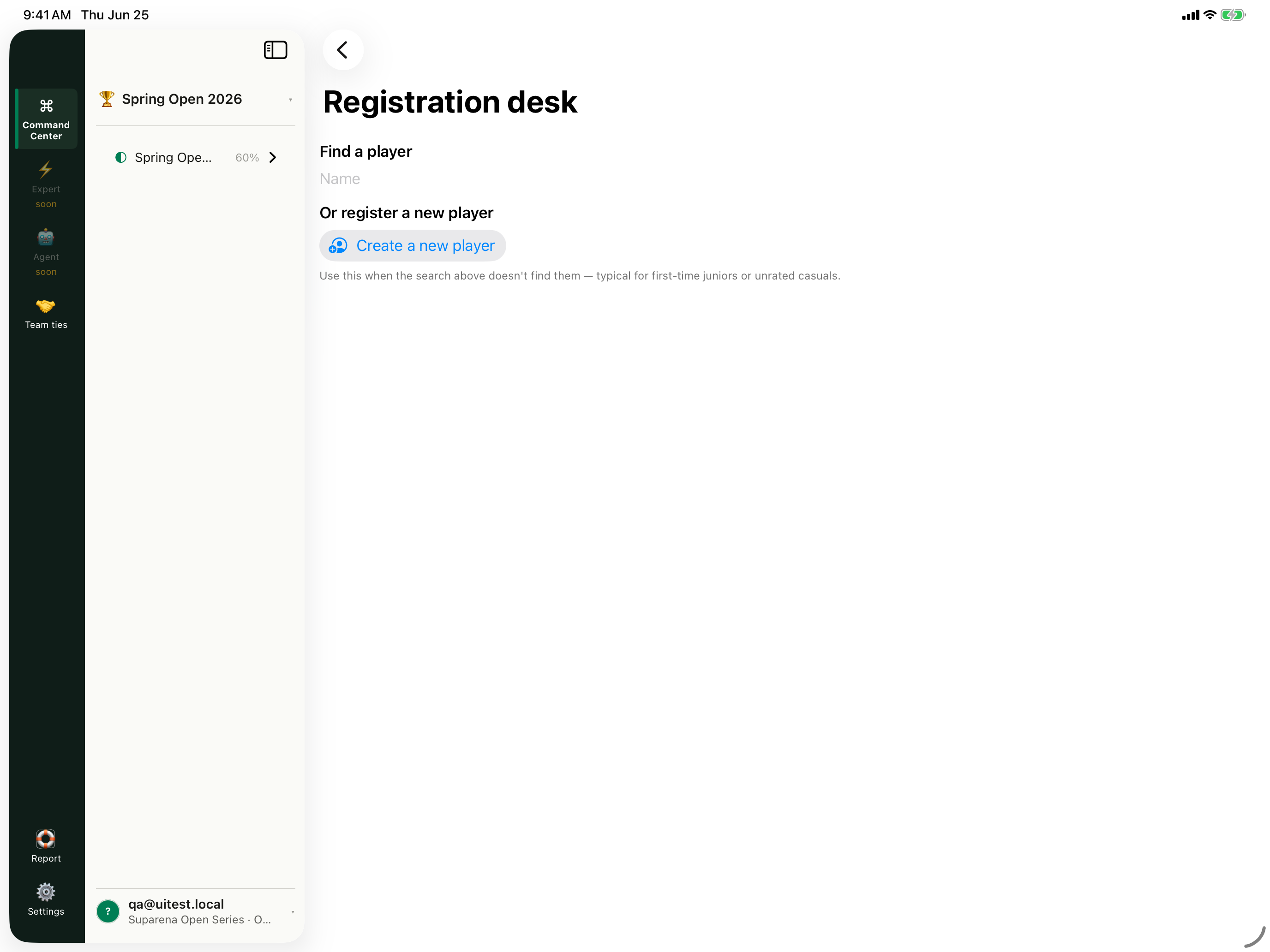
Find before creating
Open Registration desk
The fixture-backed screen can find an existing player or start Create a new player.
Registration deskCurrent first-party product capture · synthetic fixture data
3
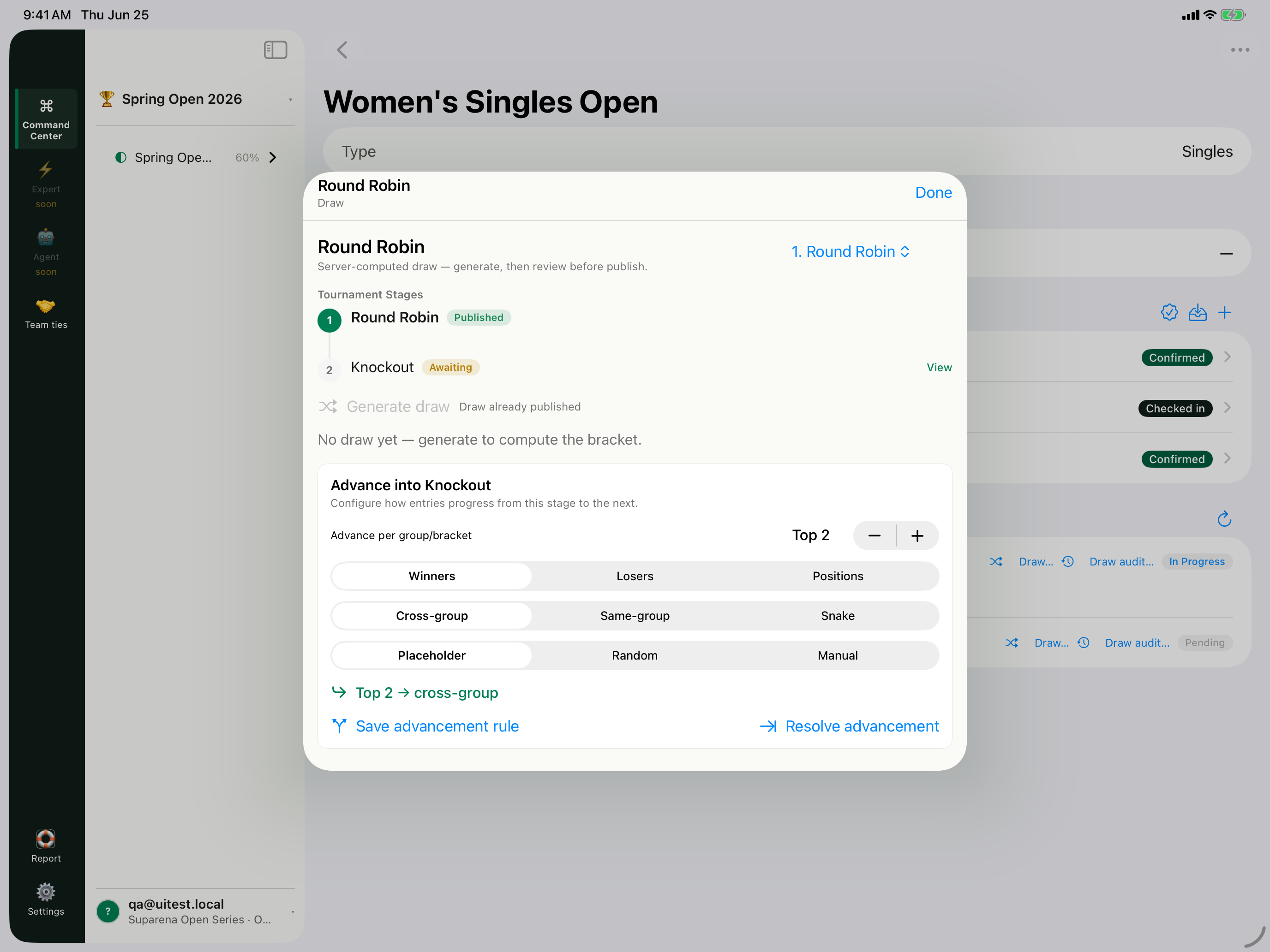
Review before progression
Review the staged draw
The captured Round Robin sheet shows Published and Awaiting stages plus an advancement rule editor. Availability depends on the V2 shell flag.
Draw and advancement ruleCurrent first-party product capture · synthetic fixture data
4
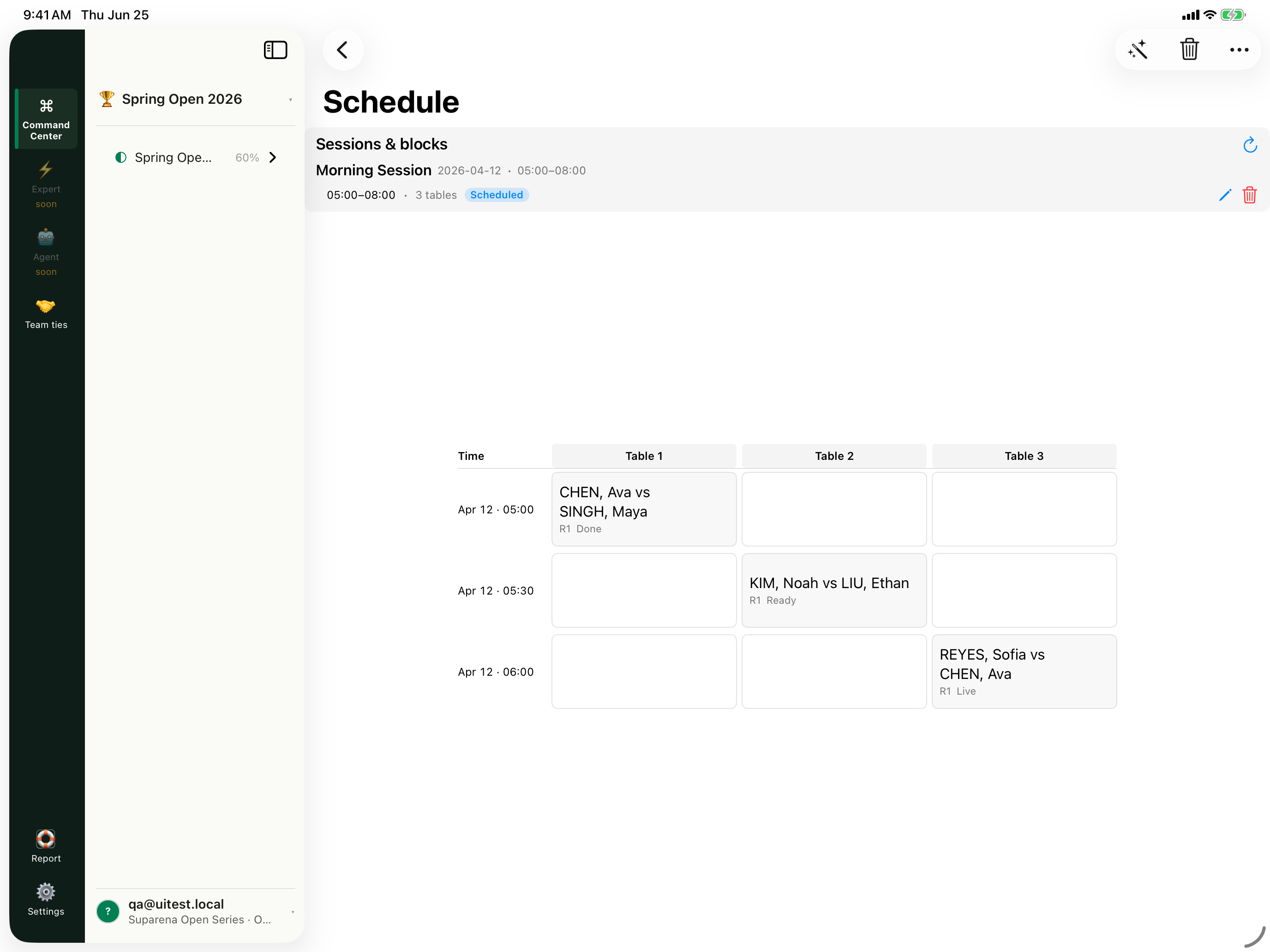
Read the schedule
Inspect the Schedule grid
The capture shows session blocks and three table columns. Do not treat the disabled auto-schedule and delay controls as released default operations.
Schedule gridCurrent first-party product capture · synthetic fixture data
5
Move into live operations
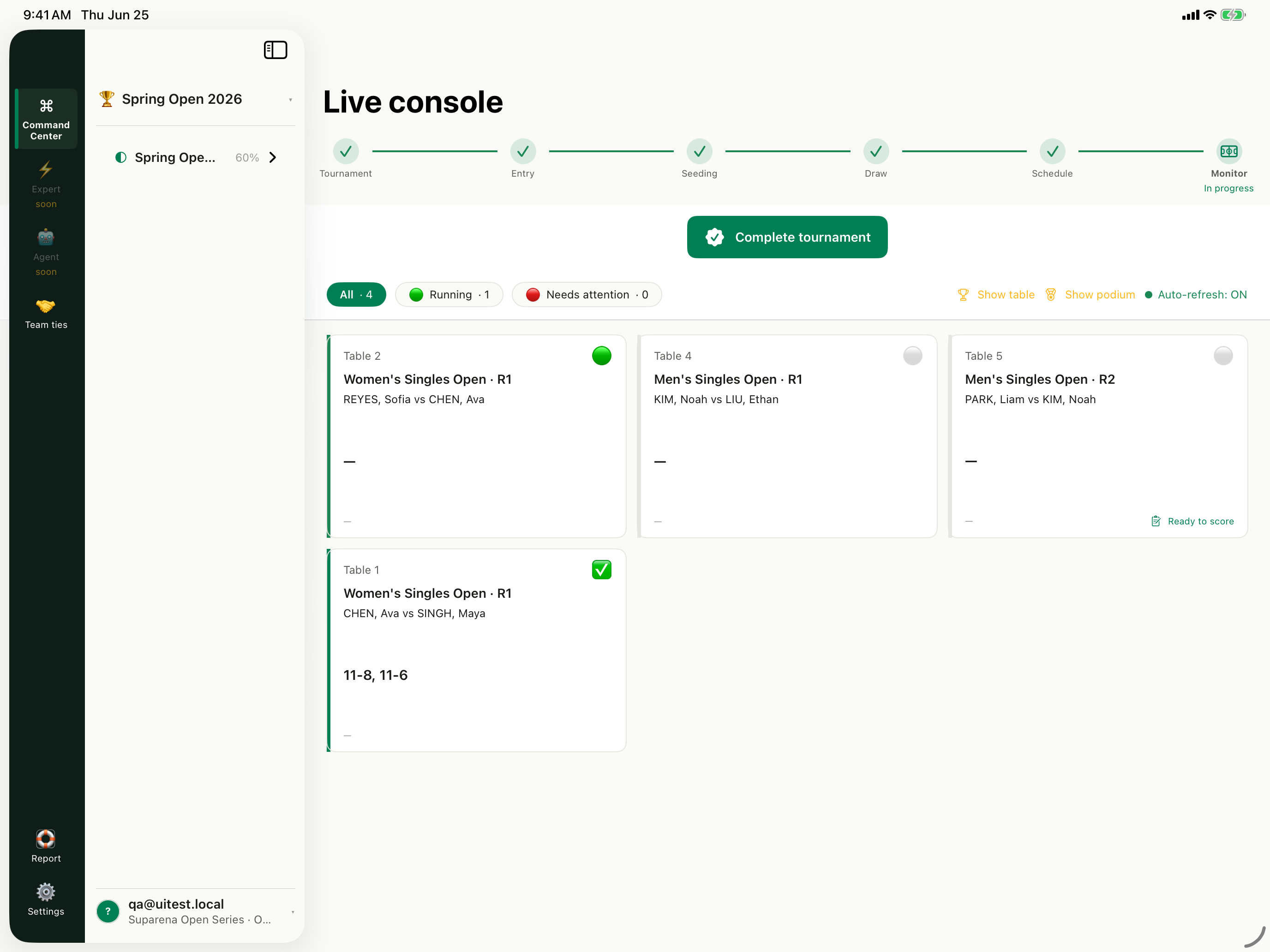
Finish at Live console
The captured live dashboard has real fixture matches and scores. Use the default-release event-day guide for supported operational instructions.
Live tournament workspaceCurrent first-party product capture · synthetic fixture data
Use it anywhereShare, embed, or export
Deep links preserve the current step. Embedded tutorials follow this site's access policy.
Transcript and step index5 chapters · searchable on this page
Knowledge check
Is the full Manager iPad organizer workspace the same as Table mode?
Documentation feedbackWas this tutorial helpful?
You can submit feedback anonymously without names, contact details, IP addresses, or device identifiers.
Product evidenceVerified 5 steps against source
Verified against repository commit d95a40d1. Interface illustrations use current product labels; screenshot frames use synthetic XCUITest fixture data.